

Not only did Truv wrap up October with a multitude of exciting releases, but the team closed out Q3 with significant momentum to lead our clients with an even better Truv experience in Q4. Throughout the last month of the quarter, our Product and Engineering teams doubled down on improvements to enhance our consumer-permissioned platform, including a mix of roadmap items and client requests. Explore the latest updates from Truv below.
Truv Platform Updates
Encompass Improvements

For our clients on the Encompass® platform, Truv is thrilled for you to start experiencing streamlined workloads and start leveraging more automation within the platform.
- Simplified Actions in Order Status Tab: To simplify the user experience within Encompass order refreshes, we’ve added a single “Download” button and “Refresh data” button per order instead of per employer to provide a streamlined workflow. Once at least one employer is in Done status, we will show a single “Download” button to access the Borrower Report and Invoice files for the order. As additional employers in the order move to Done status, the additional data will automatically be added to these “Download” documents. Then, when all the employers in an order are in a terminal state (eg. Done, Canceled, Expired, No Data, Skipped, Error) and at least one employer is Done, we will show a single “Refresh Data” button. When you click on “Refresh Data” we will show a pop-up to select the Refresh type (Employment, Income and employment, Employment and most recent paystub) and Employers to be refreshed. When refresh is complete, the refreshed Report will be uploaded to the eFolder and available through the “Download” button.
- New Approval for Re-Verifications Requiring Re-Authentication: For order refreshes in Encompass, Truv defaults to an automated backend refresh without requiring re-authentication from the borrower. If a borrower changes their credentials or is required to re-verify past the 120-day refresh period, a borrower must re-authenticate via Truv. If the lender has the Truv ‘approve re-verify’ setting enabled, the order creator/order manager is now notified to approve or decline a re-verification order prior to sending to the borrower in cases that a re-authentication is required. This notification empowers lenders to:
- Decide the optimal re-verification method case-by-case and borrower by borrower, at the individual loan file level, or
- Notify the borrower that a re-verification via Truv is needed to keep the loan file on track. Interested in enabling the feature? Reach out to Truv Implementation team.
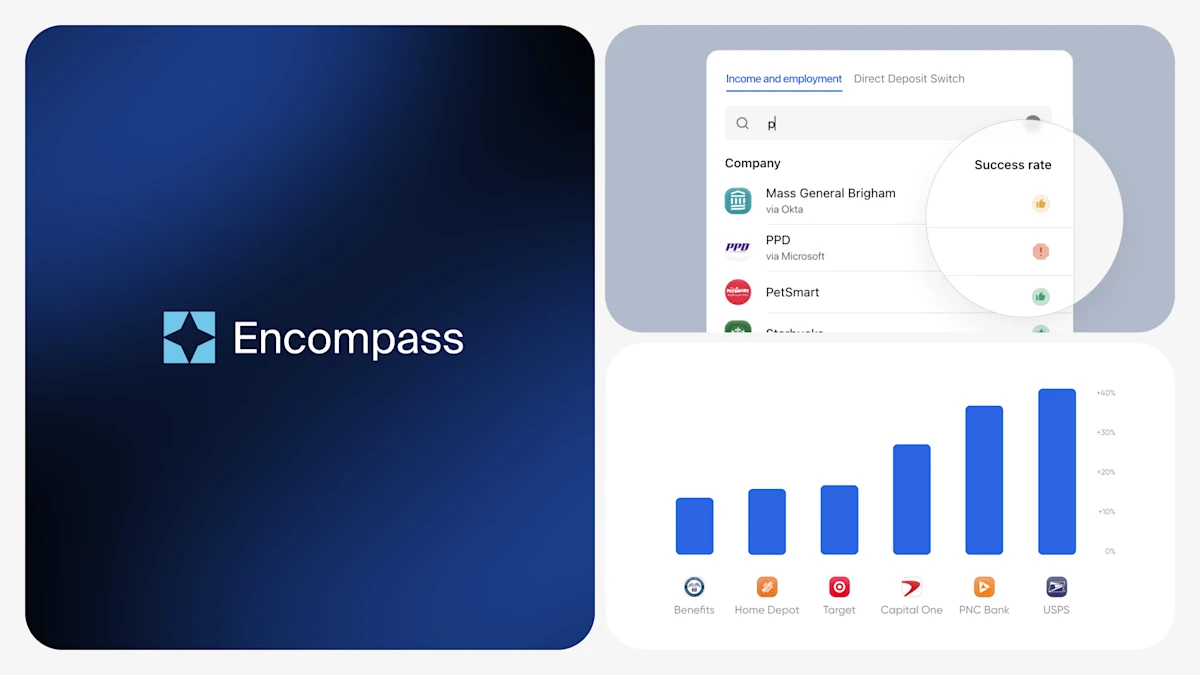
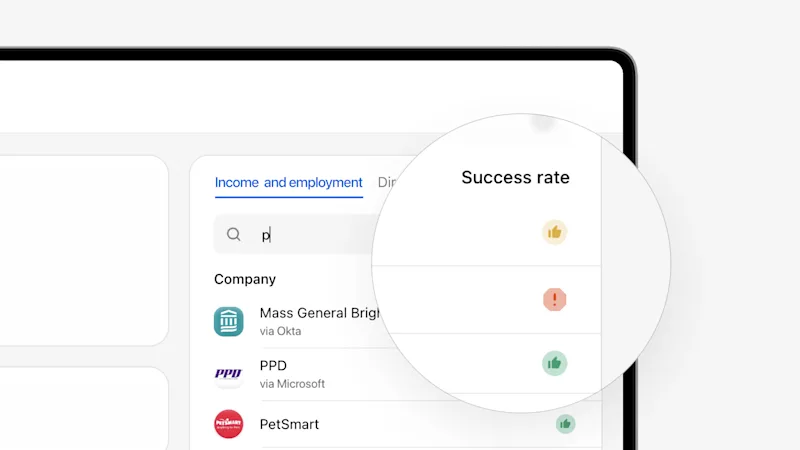
- Enhanced Coverage Indicators: We’ve enhanced our Coverage Indicators within Encompass by moving them to a “Truv’s success rate” column, adding new tool tips with clear and precise messages to guide order creators through next steps based on the likelihood of a successful connection, and re-designing the icons with a green “thumbs up” icon, yellow “thumbs up” icon, and a red “warning sign” to visually depict success rates, based on recent Truv user traffic.
- Select Employer Success Rate for Automated Service Ordering (ASO): Now, mortgage lenders have more control over success and borrower friction when it comes to ASO triggering. Using Truv’s success rate indicators, lenders can define which success rate levels they would like to use in ASO, drastically improving the value and effectiveness of using it with Truv.
- For example, a lender can now setup ASO to order a Truv verification of income only when there is a high likelihood of success and as soon as that borrower has indicated their intent to proceed. For all other borrowers where Truv may not succeed, causing borrower friction, an alternative verification solution can be ordered via ASO or manually.
- By automating Truv to order when its most likely to succeed, lenders can maximize their cost savings while introducing as little borrower friction as possible. Reach out to the Truv Implementation team to get started.
- Truv ASO Template Customization in Encompass
- Truv previously only supported customization of the maximum number of employers that could be requested when setting up an Automated Option to be used in ASO. When ASO was triggered, the order would use the product type, template and notification methods that were available in the Truv Encompass app. To unblock the limitations around expanded customization builds when utilizing ASO, Truv expanded functionality for lenders to change the product type, template and borrower notification methods to be used for an ASO order. For specific loan scenarios triggered by ASO, lenders can specify the Truv products or branding, language, expiration period, and returned documents.
- As an example, a Truv client who offers a Spanish-first experience created a Truv template in Spanish, then added an ASO Automated Option within the template. The ASO logic was setup to trigger the template based on the field in Encompass that identifies language preference, automating orders on the backend without manual intervention.
Your Encompass Owner or Admin can configure these settings. Note: Settings will apply for all ASO orders.
- UI Enhancements: In Truv’s pursuit to deliver an optimal user experience, we’ve de-bugged and updated elements within our UI Kit, including improvements to status update pop-ups and add/edit fields.
Conversion Improvements
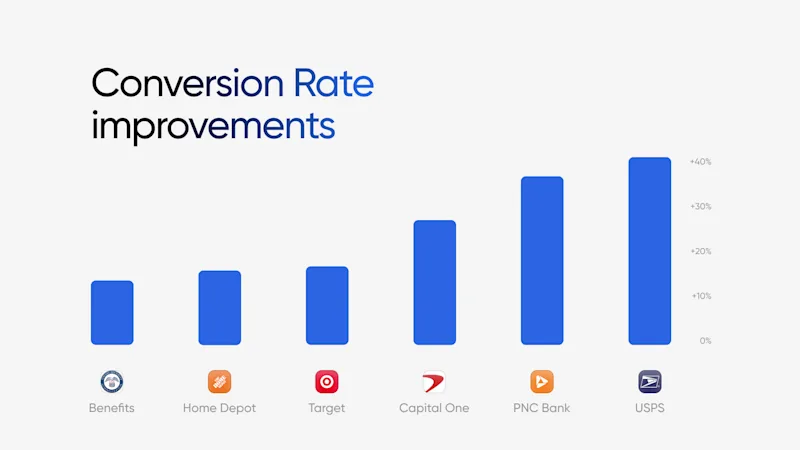
At Truv, we prioritize conversion because it’s the key to delivering results for our customers. To achieve this, we continuously monitor and optimize our integrations with payroll providers and employer connections, ensuring speed and efficient data parsing. We’ve made significant improvements for integrations that previously had issues. Conversion is Truv’s North Star because it guides our client success. To optimize conversion, we continuously monitor integrations with payroll providers and employers to check for gaps that may require our attention to maintain speed and efficient data parsing. Review recently improved integrations across a few Truv solutions below:
Verification of Income & Employment
- Home Depot: +16.23% improvement over the last 30 days
- Target: +17.05 improvement over the last 30 days
Verification of Assets
- PNC Bank: +33.33% improvement over the last 30 days
- Capital One: +25% improvement over the last 30 days
Direct Deposit Switch
- Disability benefits: +13.73 improvement over the last 30 days
- USPS: +36.87% improvement over the last 30 days
- Retirement benefits: +14.23 improvement over the last 30 days
Truv Dashboard & Order Updates
For Truv Dashboard users, we’ve rolled out new features to enhance the experience and provide expanded end-to-end visibility.
- Enhanced Coverage Indicators (Payroll VOIE): We’ve enhanced our Coverage Indicator Tool within the Dashboard to include subheads that call out employer names and success rate columns, added new tool tips with clear and precise messages to guide order creators through next steps based on the likelihood of a successful connection, and re-designed the icons with a green “thumbs up” icon, yellow “thumbs up” icon, and a red “warning sign” visually depict success rates, based on recent Truv user traffic.
- New Coverage Indicators (DDS & PLL): With the same look, feel, and functionality we brought to our Coverage Indicator Tool for our Payroll VOIE solution, we’ve rolled out a Coverage Indicator Tool to empower our bank and credit union clients with ordering insight and best practices.
Upcoming Events
From regional and annual events to a range of webinars and podcasts, Truv aims to connect with industry peers and clients to make an impact with consumer-permissioned data. Explore past event recordings on-demand or register for upcoming events here.
Customers Come First
The Truv team is heading into Q4 with our customers top of mind. With us, our client partnerships remain our highest priority. As always, let us know if you have any feedback.


