

Orders Made Easier With Truv Users in Mind
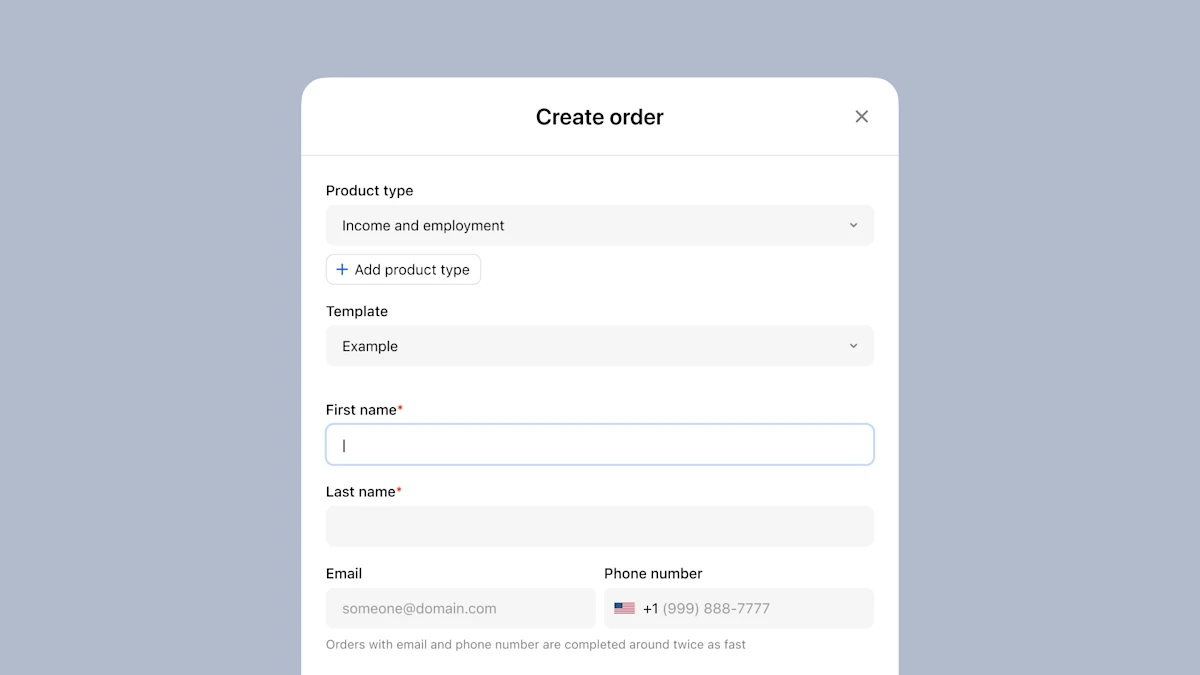
Our enhanced Order Form on Truv Dashboard has officially launched and is live in production. Designed with user feedback in mind, this new form brings a host of improvements aimed at streamlining your workflow and making order creation a more intuitive and efficient process. How? Let’s explore five new enhancements.
1. A Sleeker, More Intuitive Design
The first thing you’ll notice is a sleeker design. We’ve revamped the entire look and feel of the Order Creation Form to ensure it is not only visually appealing but also user-friendly. The new layout makes new orders easier to navigate.
2. Seamless Integration and Enhanced Usability
Previously, creating a new order required navigating to a separate page. Now, you can access the Order Creation Form directly within the Orders tab, displaying as a pop-up form. Fields have been reordered based on their popularity and importance – curated arrangement of fields based on Truv user feedback – to ensure that the most critical information is at your fingertips. This reorganization simplifies the process, reducing the time it takes to fill out the form and minimizing the risk of errors.
3. Enhanced Employer Search
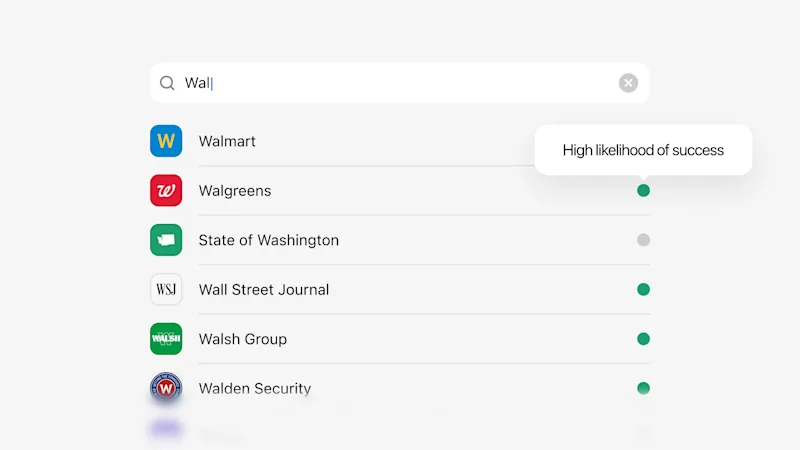
We’ve added a new feature to the employer search results: employer coverage visibility for both Verification of Income & Employment (VOIE) and Verification of Employment (VOE) Truv products. While searching for an employer, we show This addition provides you with the likeliness of a successful connection, allowing you to make more informed decisions on orders faster than before.
What Employer Search Means for You
When a company/employer name is searched, we’ve added indicators to give lenders heightened visibility into the likelihood of successful connections, based on recent Truv traffic: Green indicates a history of high success; Yellow indicates a history of moderate success; Grey indicates a history of low success.
The color-coded indicators are designed to save time and reduce uncertainty, allowing lenders to prioritize orders with higher chances of successful connections (ie. verifications). This enhanced visibility into connection success rates streamlines the verification process, increases efficiency, and ultimately helps lenders close with more confidence – at speed.
Additionally, we’ve added visibility into the SSO provider for the employer in applicable cases, providing LOs with more insight into the borrower’s login process. This way, LOs can set expectations with the borrower and lead them through a seamless login process.
4. Preview Function for Borrower Notifications
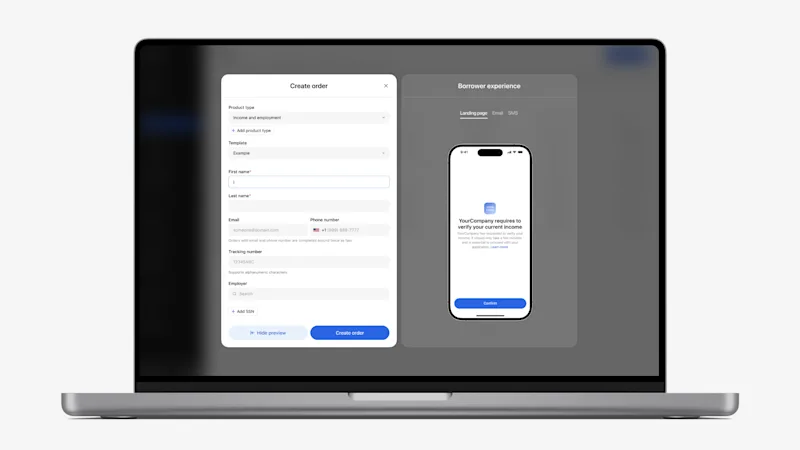
Another significant enhancement is the preview function. Now, you can preview the landing page, email, or SMS that will be sent to the borrower or applicant for verification. The preview is based on the products, custom template, and employers selected. This ensures that the Order Manager or Loan Officer has heightened insight into the borrower’s view, allowing adjustments to be made before sending them out. With end-to-end visibility, the new feature aims to help lenders minimize potential errors that could lead to borrower confusion, increase response rates, and improve the overall efficiency of the verification process.
5. Clearer Notification Reminders
To help Order Managers and Loan Officers stay diligent and precise on orders, we’ve added a reminder within the Order Creation Form to include an email or SMS notification method in the order. While an order can be created without a notification method selected, this new reminder is designed to make it clear that the Order Manager or Loan Officer will need to share the link manually if they opt out of using one of Truv’s built-in notification methods.
Truv Tip: Orders sent with both notification methods – email and SMS – result in the highest conversion and fastest turnaround time, compared to one method.
Optimize the Future of Truv
The recent enhancements to the Order Form are designed to make our clients’ experience in Truv Dashboard smoother and more efficient. We look forward to your feedback as you explore these new features. Let us know about improvements and feature updates we can make to enhance the Truv experience further!


