
Changelog
Get the latest feature updates in Truv
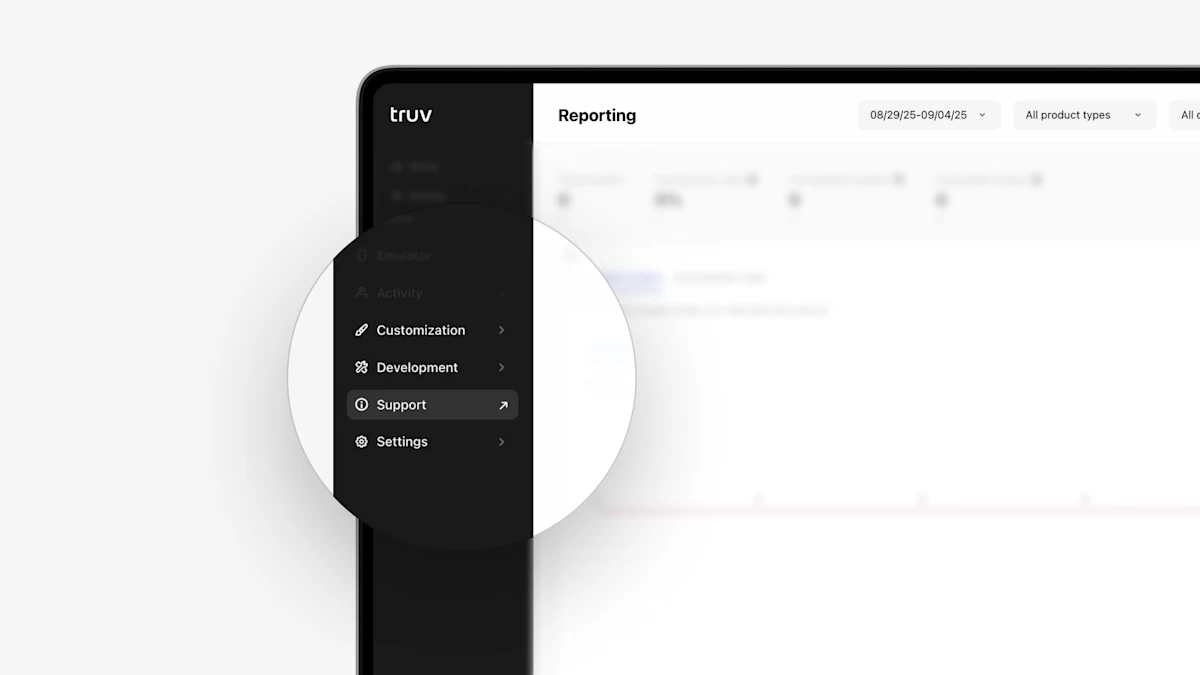
- Improved navigation to Truv Support in Truv Dashboard: To make accessing the Truv Dashboard support portal easier, we have replaced the Help tab with the Support tab and moved the Docs tab to Development. This eliminates the need through menu items to access Support.
- Moved employer & financial institution fields to top of Order Form: Many customers who create orders from Truv Dashboard first enter the employer and/or financial institution to check the success rate before filling in the rest of the order details. To streamline this, we moved the Employer and Financial Institution fields to the top of the create order form.
- Updated Dashboard access revoked notification pages: To help guide Dashboard users who have their access revoked, we have updated the pages after they login to better explain if their account is under review or if it has been declined and who they should reach out to for support. Additionally, if a user still has access to other companies, they are now able to switch to a company they have access in from this page.