
Changelog
Get the latest feature updates in Truv
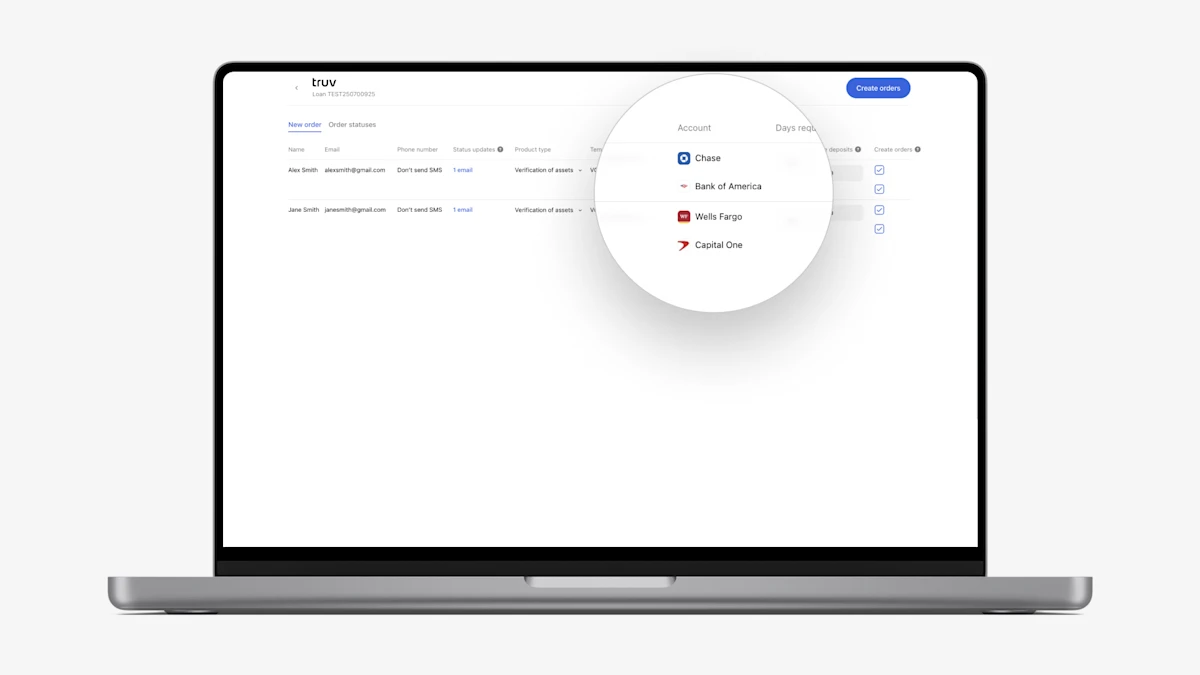
- Pre-fill financial institutions from loan application: To help lenders verify required financial accounts, we added the ability to import financial institutions (FIs) from the ‘Assets’ section of the Encompass loan application into the Truv application.
- Truv automatically adds the unique FIs per borrower from Encompass into the ‘New order’ tab of the Encompass app. Lenders can select up to 5 FIs to be included in the order per borrower.
- When the borrower opens the order, they will be prompted to sign-in to each of the requested FIs. Report data will be uploaded as its completed so there is always access to the most recent data as soon as its available.
- If no FIs are included in the order, the borrower will be prompted to select one to connect in the Truv bridge.
- VOA and DVOE report disclaimers: To provide clarity to loan teams while reviewing the VOA and DVOE reports, we added disclaimers to the Large deposits, Account owner information, and Transactions sections. The disclaimers clarify that no data for the corresponding section was available for the period requested.
- Added pending transactions to assets reports: To give clients additional visibility into deposits and withdraws, we have included pending transactions in the VOA and DVOE report, with a ‘pending’ label under the date field.