
Changelog
Get the latest feature updates in Truv
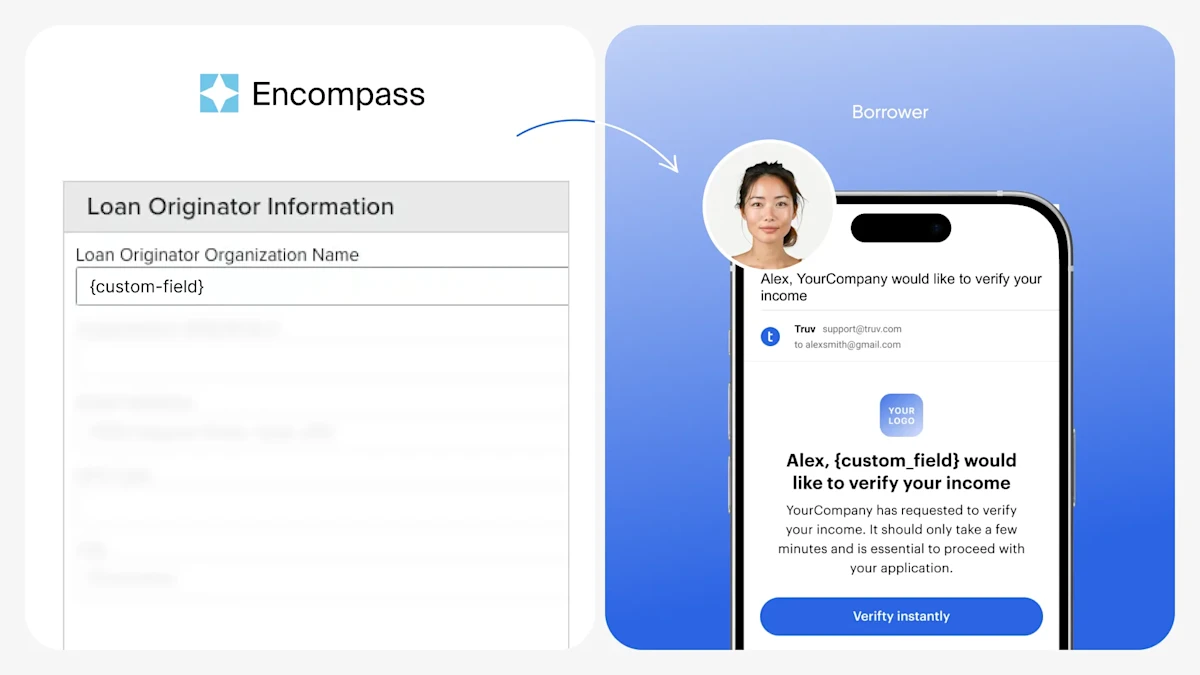
- Use Encompass values in Truv Templates: For lenders with a Correspondent or Broker or Wholesale business model, borrowers recognize the Loan Originator more so than the parent company. Within Truv Templates, there was no way to add this level of customization to the order email, sms or landing page text, which could cause delay borrower action due to uncertainty. We have added the ability to map any Encompass field to Truv’s custom field, which can then be used freely in the Template. To setup, check the below steps or our full guide:
- Go to Encompass Admin → Services Management → then select “Truv – Verification of Income/Employment” provider
- Select Field Mapping and create a [Encompass custom field] → “Maps To” → “custom_field” relationship in an open space
- Then navigate to Truv Dashboard → Customization → Templates, select a Template and add {custom_field} to any desired fields
- When an order is created from Encompass using this Template, if will pull the mapped field value and add it to the notification or landing page where {custom_field} is specified
- Encompass bug fixes:
- Fixed an issue where Employers didn’t align to Statuses in the Order statuses tab of the Truv Encompass app