
Changelog
Get the latest feature updates in Truv
Dashboard
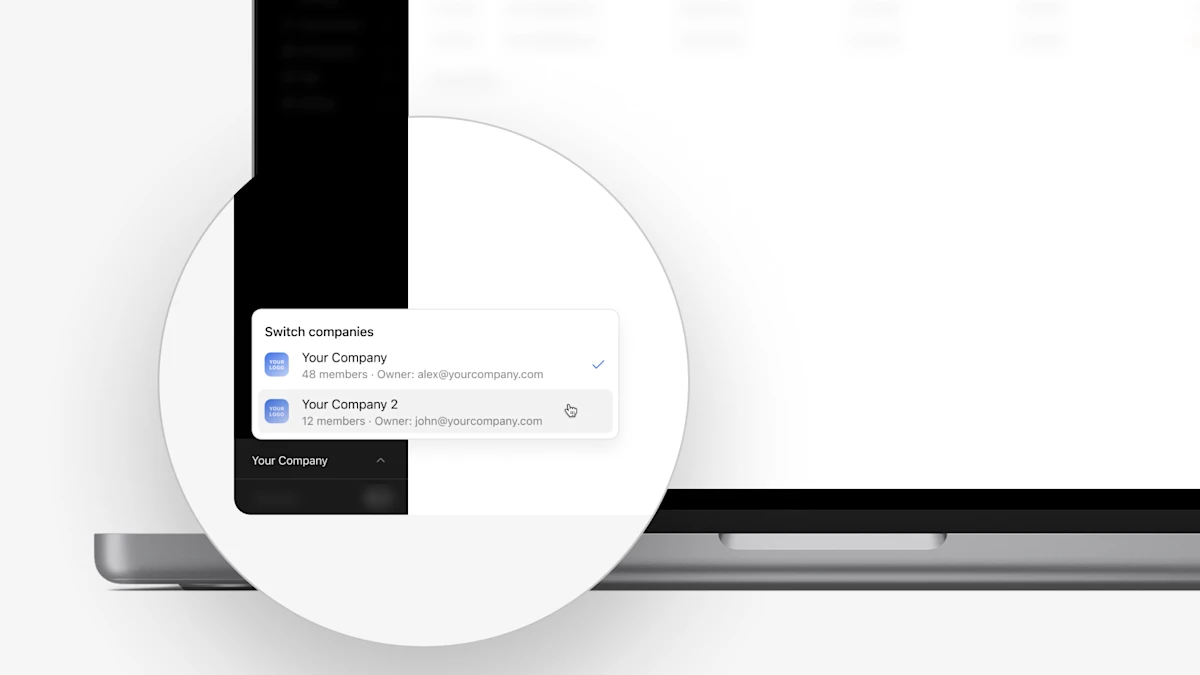
- Multi-tenancy in Truv Dashboard:
- We have introduced multi-tenancy in the Truv Dashboard to support clients who want separate Truv Dashboard instances for business units or testing environments. Previously, users were associated with one company in Truv Dashboard. Now, multi-tenancy removes the one-company limit per user: users can now belong to several companies and switch between them via a new company toggle on Dashboard > Home (bottom-left). On other pages of the Truv Dashboard (ie. order creation, team member invite, template creation, etc), there is a tile in the center of the header to indicate the current company that the user is currently logged into.
- To setup multi-tenancy, reach out to Customer Success at Truv for assistance creating additional companies.
Dashboard
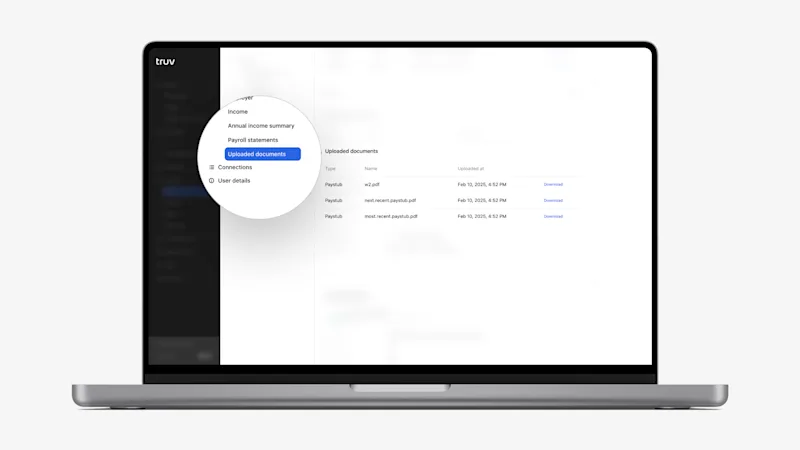
- Improved access to uploaded documents in Dashboard:
- Previously in Truv Dashboard → Orders tab and Users tab, if documents were uploaded, but no report was generated, we only showed “No reports yet” empty state and the uploaded documents couldn’t be downloaded.
- To fix this case and make accessing uploaded documents easier, we have moved the uploaded documents to a dedicated section in the Order or User information page where they will always be available, whether a report was generated or not. Additionally, we have added a “Uploaded documents” submenu item to make navigating to this section easier.
Dashboard
- Added auto-approval functionality for new Truv Dashboard users:
- To help large clients with hundreds or thousands of users who need to join Truv Dashboard, we have added the ability to enable auto-approval for new self-registered users. Clients who enable this option can have users self-register via single sign-on (SSO) and be automatically approved, eliminating the manual invite and approval process.
- Reach out to Customer Success or support@truv.com for assistance enabling.
Dashboard
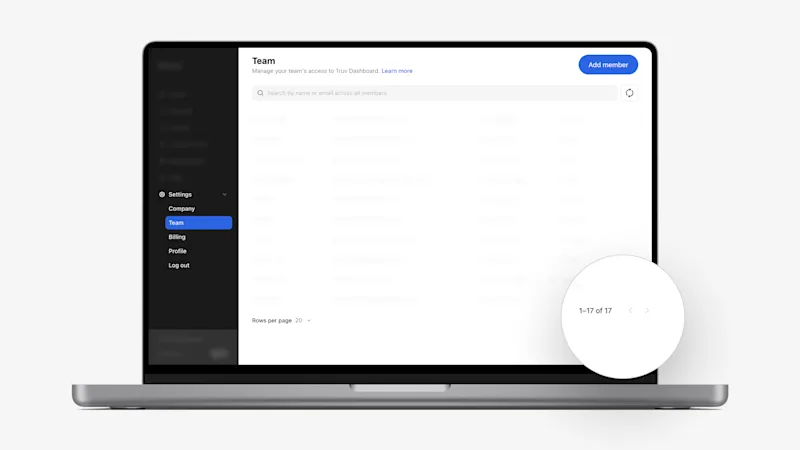
- Pagination and filters to Team Members table:

- The Team page in the Truv Dashboard under Settings → Team tab previously didn’t have pagination, so all users were shown in a single long list. If a client had hundreds or thousands of users, the page could take a long time to load. To reduce load times, we added pagination so users will be returned with 10, 20, or 50 per page (depending on the rows per page setting).
Dashboard Orders
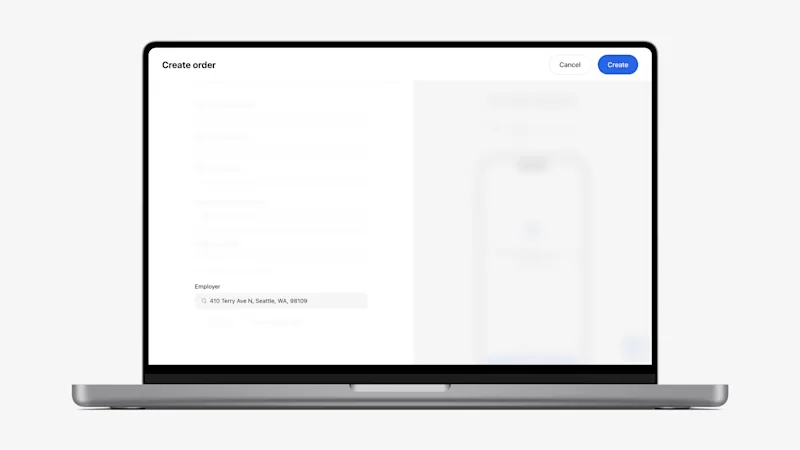
- Remove google search results from order creation:
- To prevent 3rd party issues that impact order creation from the Truv Dashboard, we have removed the google search results from the “Employer” field in the Create order form (Activity → Orders → Create order). Now if a physical address is entered into the “Employer” field, the corresponding employer at that address based on google search will not be returned.
Dashboard Orders
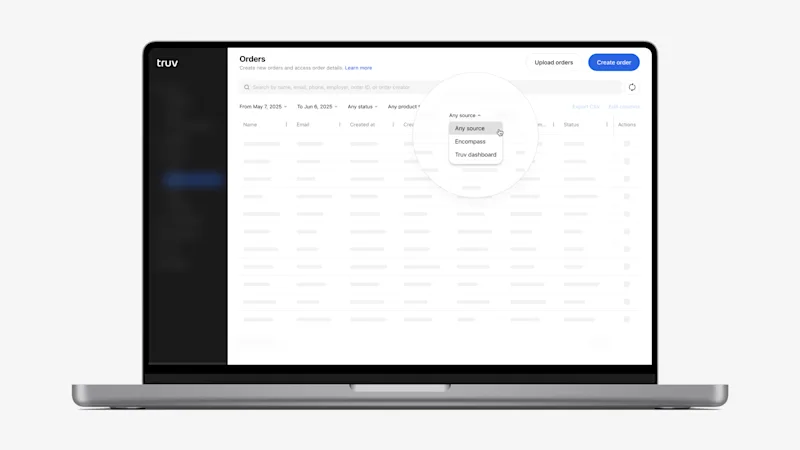
- Add ‘Source’ filter for orders in Reporting and Orders tabs
- To support clients who create Orders, we have introduced a ‘Source’ filter in both the Home → Reportingand Activity → Orders tabs. By default the filter will have the value ‘Any source’ and show orders from all sources in the results. Upon opening the filter, it will show a list of unique order sources that the client has in the currently displayed results. This will allow filtering and reviewing either reporting metrics or orders from specific sources, such as Truv dashboard, Encompass, SimpleNexus, etc.
Dashboard
- Corrected sorting in Verification of assets (VOA) reports:
- To improve navigability of the VOA report, we have aligned ordering of the ‘Transactions’ and ‘Large deposits’ sections in the Truv Dashboard and PDF Report. Now the ‘Transactions’ section is ordered from newest to oldest transactions for each account. The ‘Large deposits’ section is grouped by Financial Institution and Account, then ordered from newest to oldest deposits.
Dashboard Orders
- Clarify order invoice access by displaying a ‘pending’ state in the UI
- Truv order invoices can be enabled for clients who want an invoice PDF to be generated for each order that itemizes all the charges, typically for passing along the order cost to the Applicant or Borrower. Previously, in the Truv Dashboard → Orders → Order information, once the order was complete, a ‘Download latest invoice’ button would appear. Order invoices are usually available for download ~1 min after an order is completed, so in some cases this button would appear and do nothing if clicked. Now, we show the button as loading if the invoice isn’t available for download yet.
Dashboard Orders
- Changed order emails from noreply@truv.com to notifications@truv.com
- Previously order emails sent to end-users and clients were sent from a noreply@truv.com email address. We have updated this to notifications@truv.com, which is an unmonitored address that includes support guidance for users who reply to it.
Dashboard Orders
- Users can see orders created with ‘default’ template
- For clients who use Truv customization templates to create branch-level access control, there were some edge cases where a user could create orders without selecting a template, preventing them from being able to see their order. To address all these cases, we have updated the access control logic in Truv Dashboard so Order Managers can see orders created without any template and orders created with the primary template, in addition to orders created with their assigned templates.
Dashboard
Dashboard bug fixes
- Fixed a bug where an invited team member’s role couldn’t be changed until they were approved in the Dashboard. If a user self-registered in the Dashboard, they would be assigned the Order Manager role. In some cases clients wanted to upgrade this user’s role to Admin, but couldn’t until they were approved.
- Discovered Apr 18 → Fixed May 2nd
- Fixed the search bar in the Truv Dashboard → Customization → Templates tab. Previously the results would re-load and block updating the search after each character was entered, creating an inefficient search experience. Now the search can be updated freely and only the results below will reload.
- Discovered Mar 26th → Fixed May 2nd