
Changelog
Get the latest feature updates in Truv
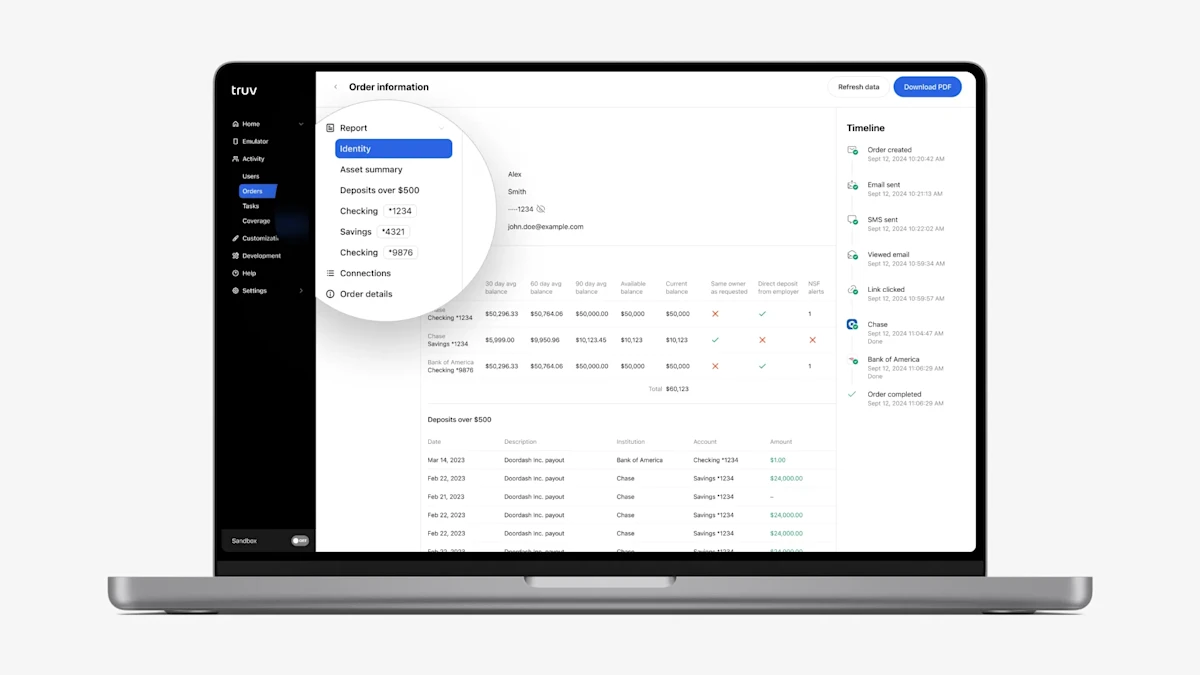
- Assets product in Truv Dashboard → Users, Orders: In the Truv Dashboard for Assets reports, we previously showed “Bank accounts” in the submenu and connected financial institutions as tabs, which was easy for users to overlook in cases multiple institutions were connected. To make the connected accounts more obvious and easier to navigate, we replaced the “Bank accounts” submenu item with placeholders for each connected account. Also, we now list all connected financial institutions, so there is no need to switch tabs in the report to see all the data.
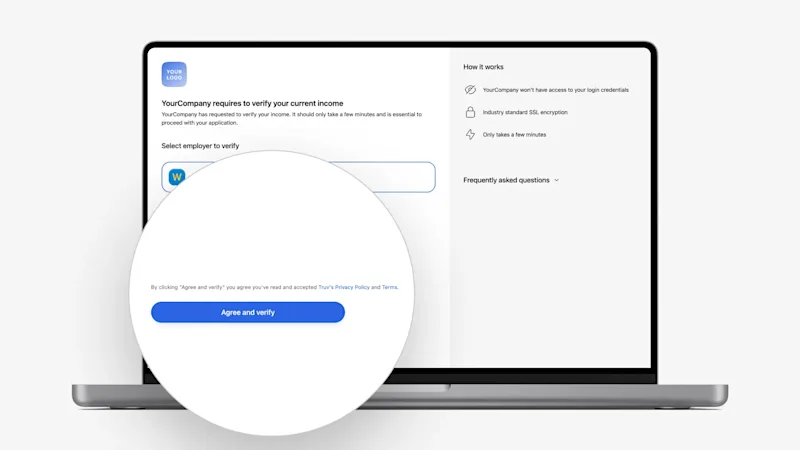
- Compliance update: To ensure compliance with legal requirements, we improved the acceptance terminology for all clients:
- The confirmation button text has been changed to
Agree and verifyfor income, employment, assets, transactions, and insurance on both platforms (desktop and mobile). - The agreement text on the Orders Landing Page above the Agree and Verify button has been updated to
By clicking "{{button text}}" you agree you've read and accepted {{clients user agreement}}, Truv's Privacy Policy and Terms.
- The confirmation button text has been changed to
- Order Page width: To improve the appearance on wide screens, the Orders page width is now limited to 1502 px.